FEATURED CASE STUDY
Designing a Self-Service Biometric Identity Platform
Redesigning capture feedback and guidance for biometric identity verification scans.
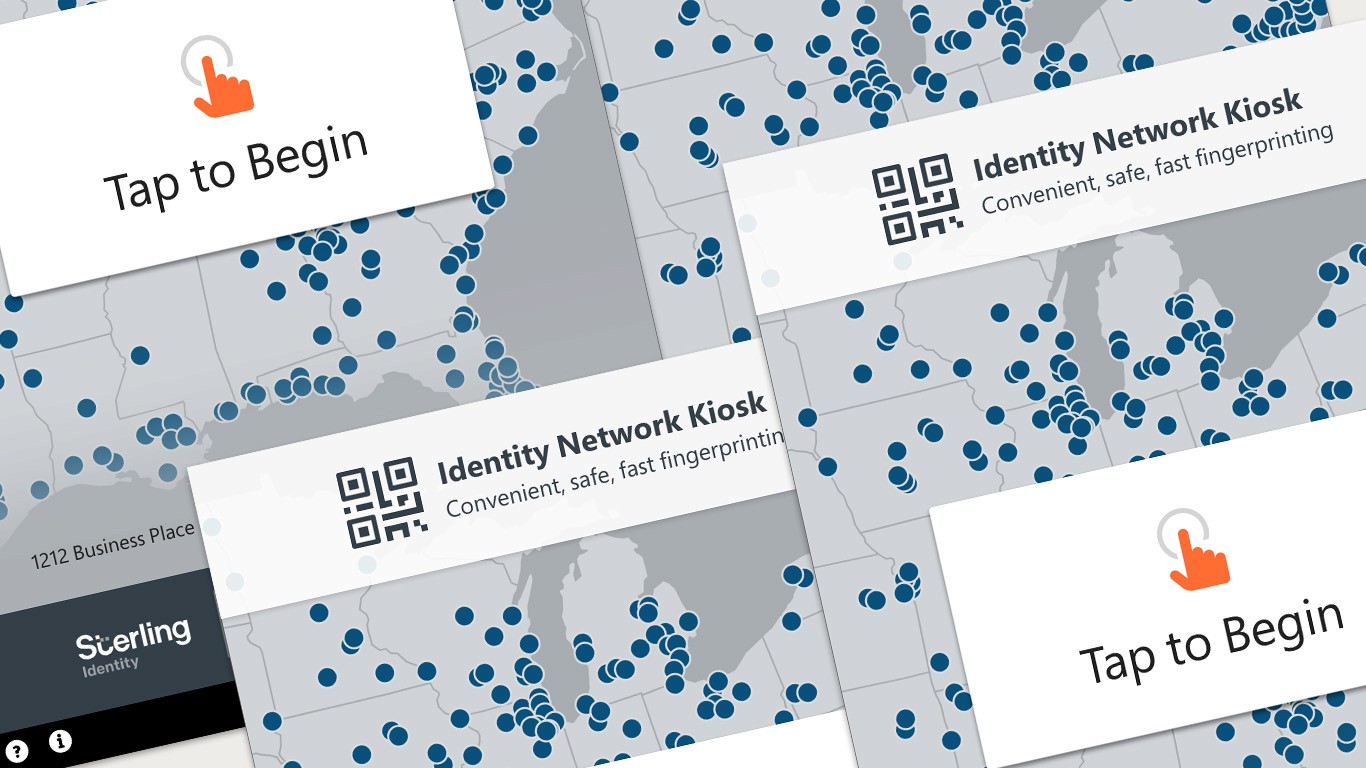
About the Platform
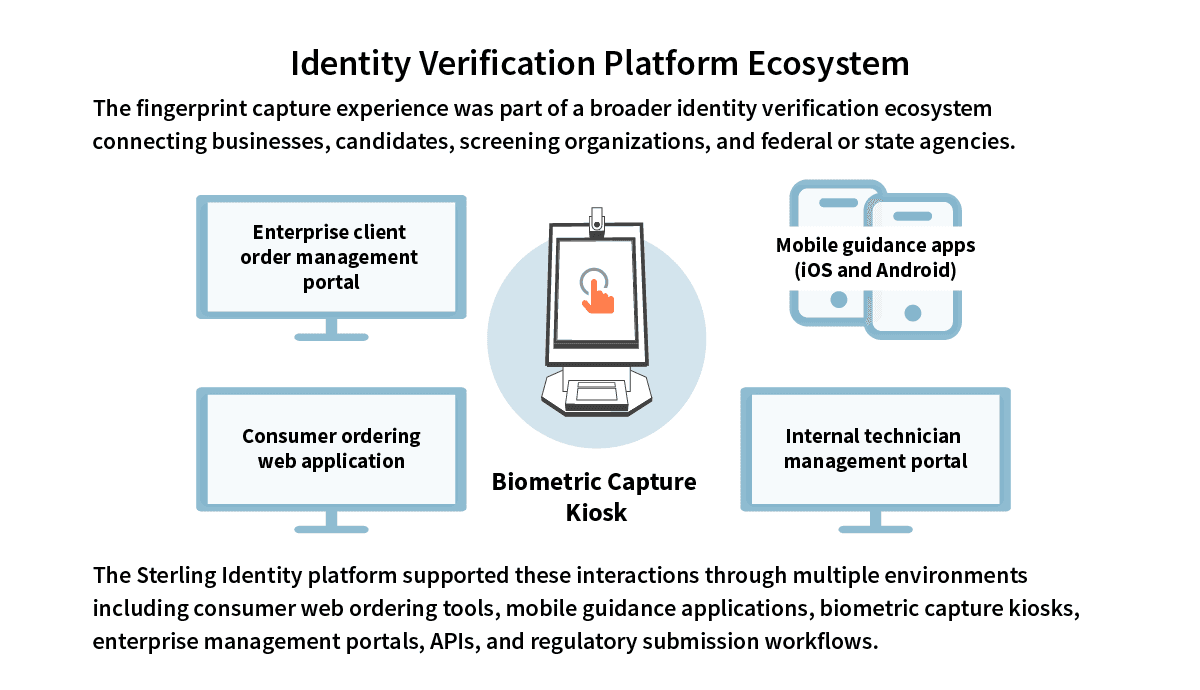
Sterling Identity Fingerprinting is a biometric identity verification platform that uses custom fingerprint capture kiosks deployed in hundreds of retail locations across the United States. The platform connects businesses, screening organizations, and federal and state identity verification systems to support regulated background check workflows.
In addition to kiosk interactions, the platform integrated supporting web and mobile systems, APIs used by screening organizations, and submission pipelines to federal and state agencies.
The Goal
Enable individuals to complete a sensitive, regulated fingerprint capture process independently, accurately, and with confidence, while reducing reliance on in-person guidance and customer support.
My Role
As Lead UX Designer, I was responsible for improving the usability and reliability of the fingerprint capture workflow. My work included workflow analysis, interaction design, and collaboration with engineering and biometric specialists to improve capture reliability within a complex, high-trust identity verification platform.
Users
The kiosk interface served two primary audiences:
Candidates: Individuals completing fingerprinting for background checks, licensing, or identity verification. Most had never participated in fingerprinting before.
Technicians: Trained staff who verified identity documents and assisted candidates when needed.
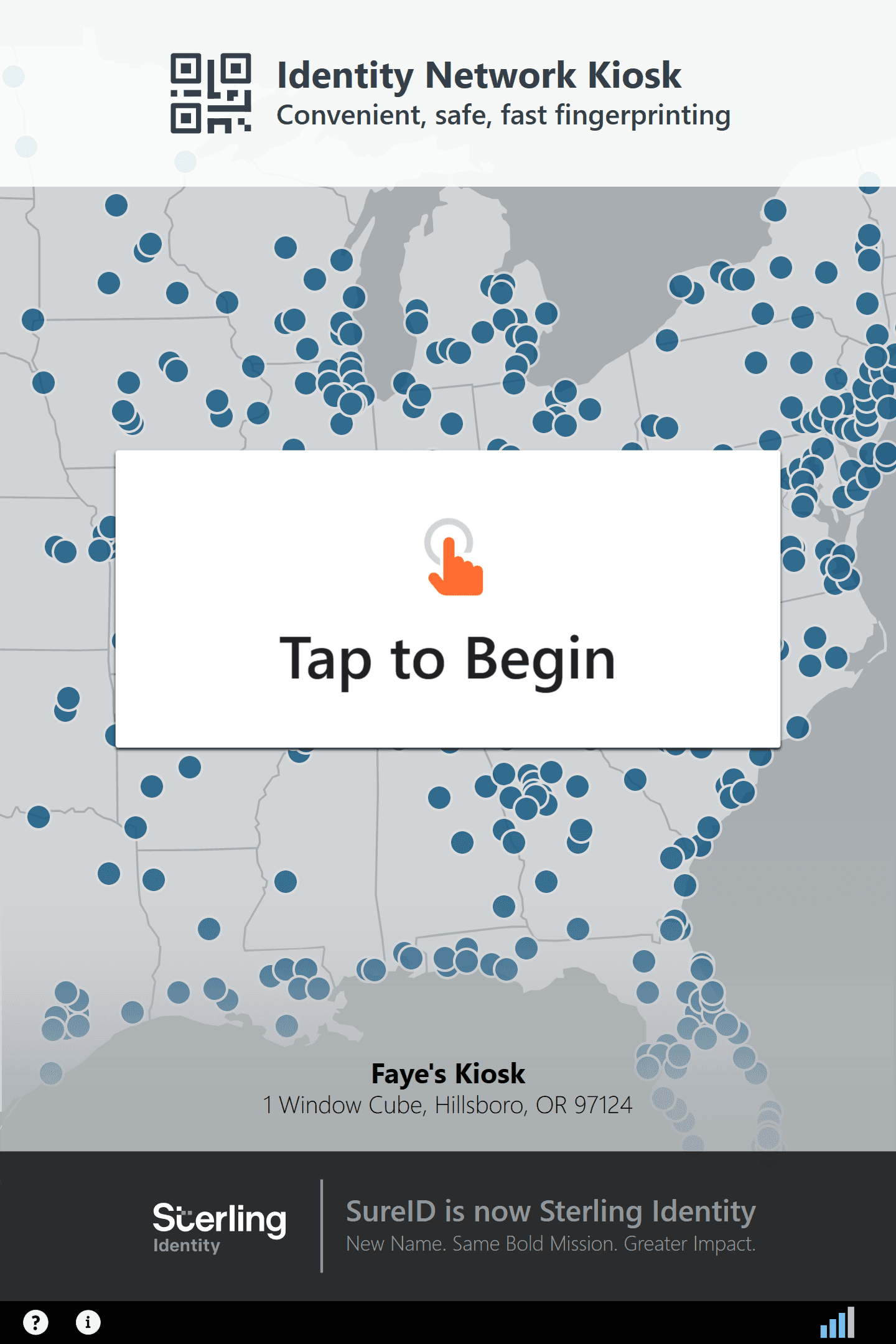
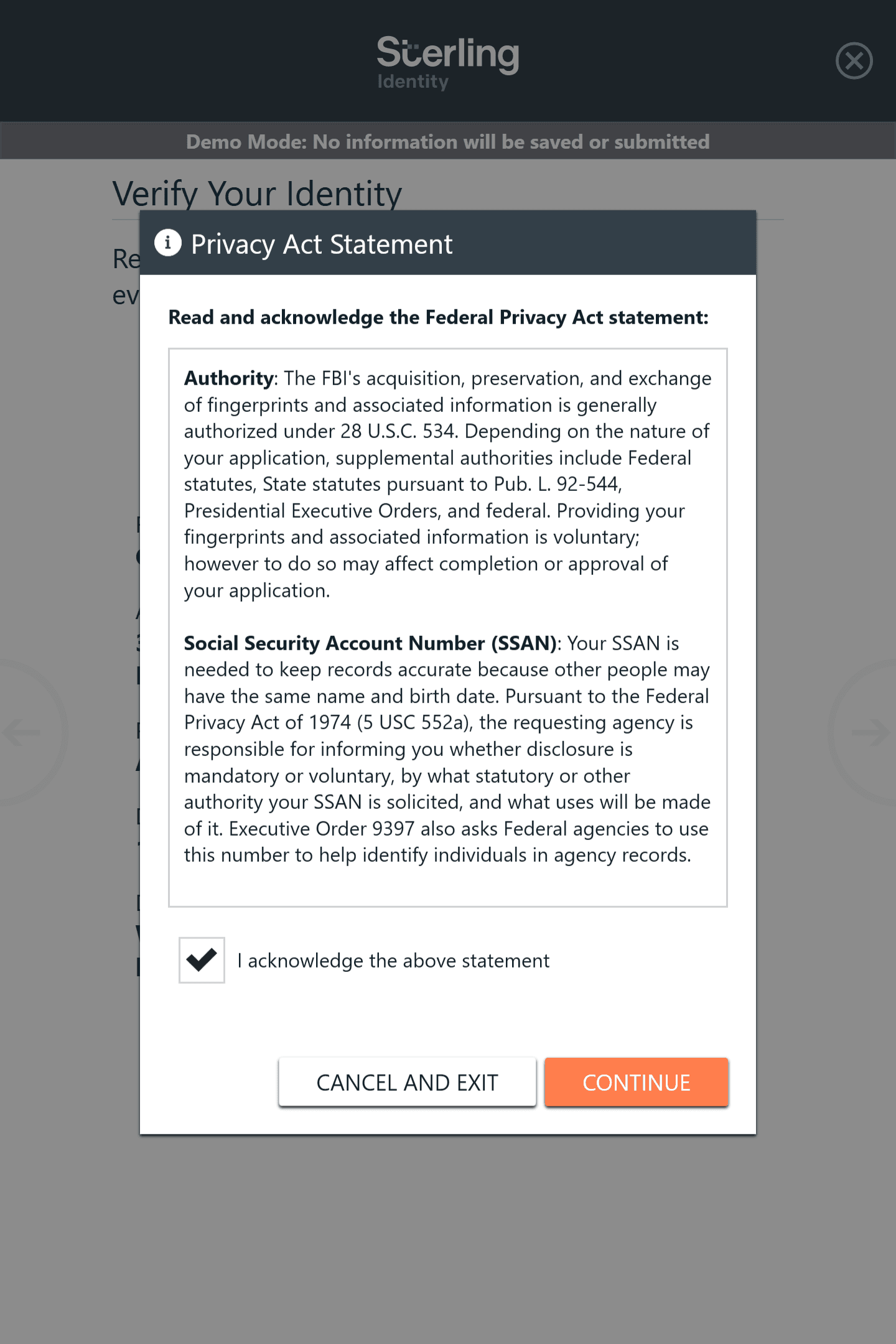
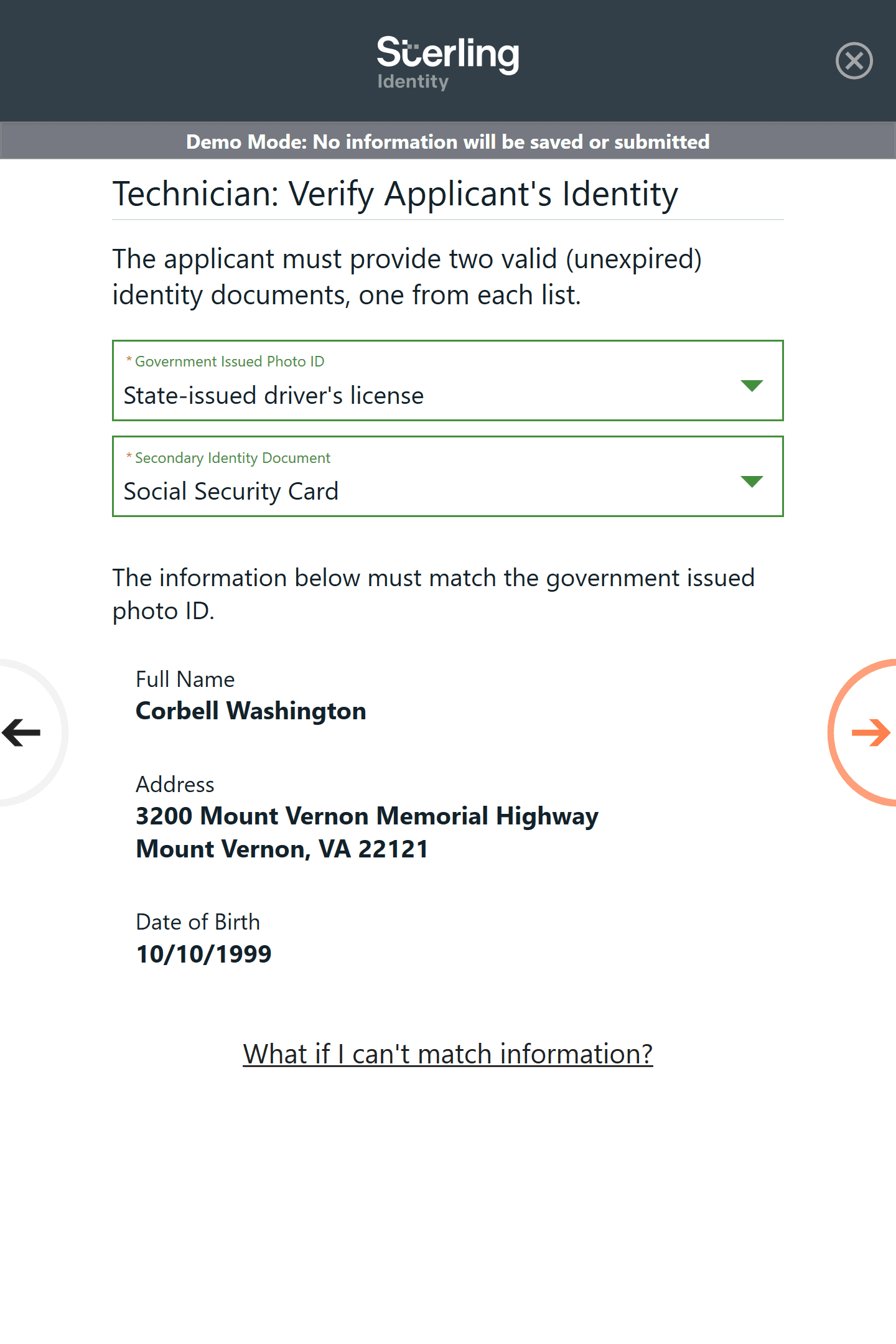
Click on an image to enlarge
Platform Context
The fingerprint capture experience operated within a broader identity verification ecosystem. Businesses initiated background checks, candidates completed biometric capture at kiosks, technicians verified identity documents, and fingerprint submissions were transmitted to federal or state agencies for processing.
The platform coordinated these interactions through kiosk software, supporting applications, and regulatory submission pipelines.
Click on an image to enlarge
System Constraints
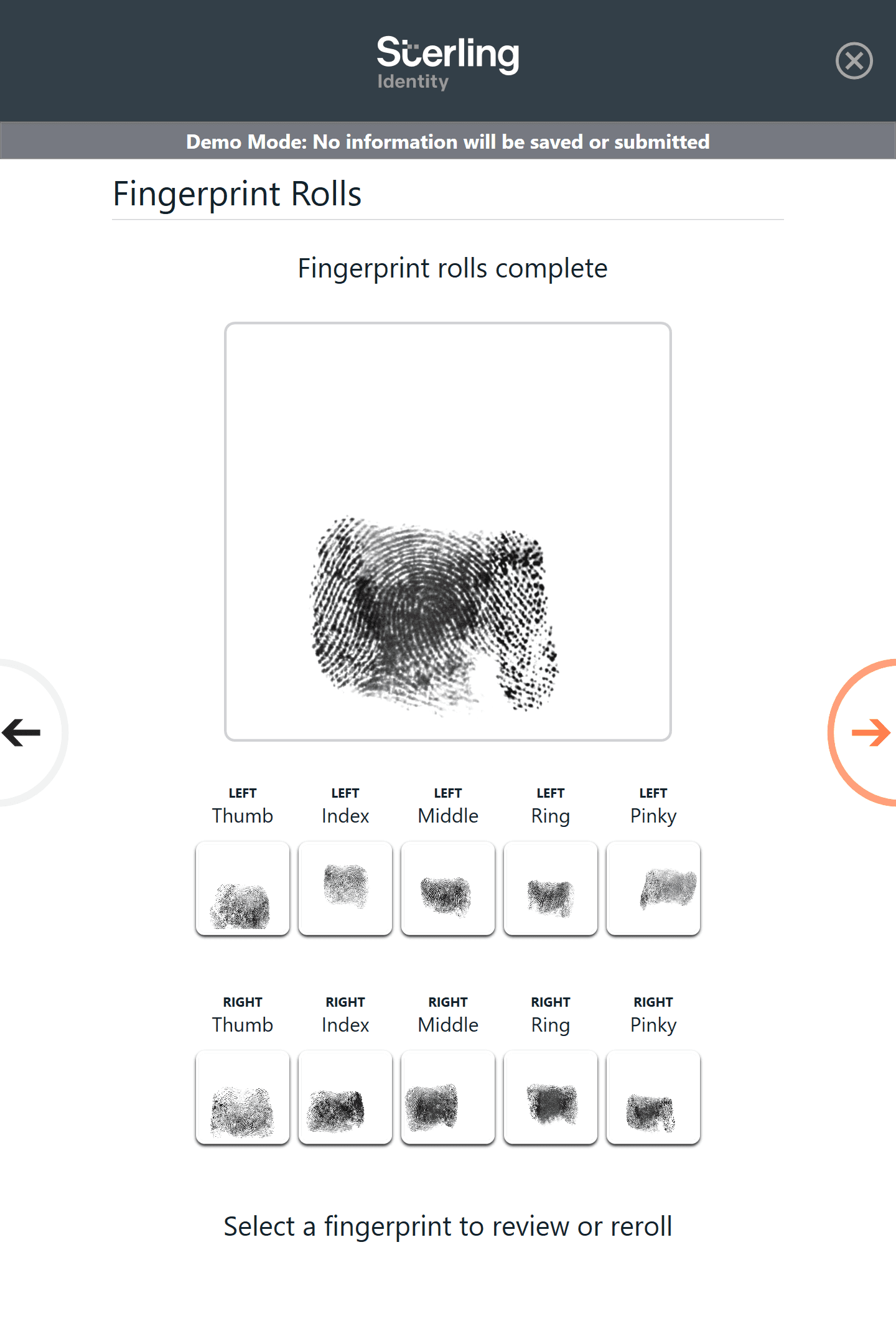
Fingerprint capture must meet strict biometric quality standards to be accepted by downstream identity verification systems. Prints must include clear ridge detail and complete rolls for each finger.
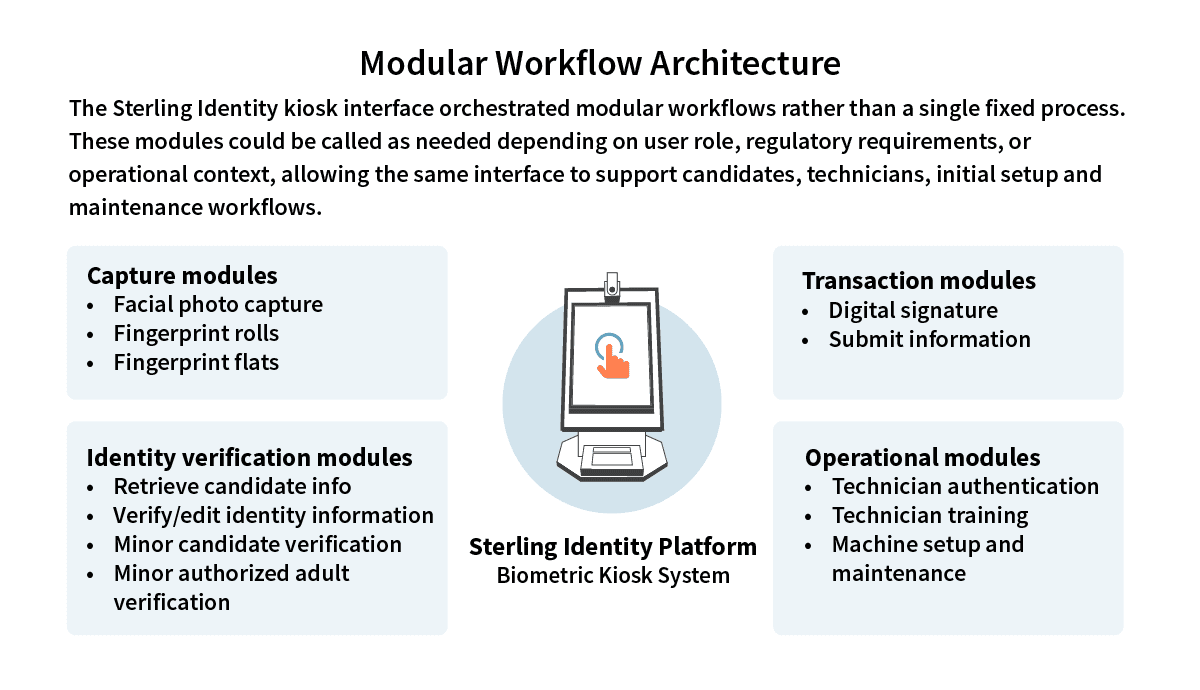
In addition, the system needed to:
Support self-guided kiosk interactions
Comply with identity verification regulations
Work with specialized fingerprint scanning hardware
Minimize technician intervention during routine captures
Click on an image to enlarge
The Challenge
Although the kiosk interface was straightforward, many candidates struggled to produce acceptable fingerprint captures. Fingerprint quality requirements are strict: prints must show clear ridge detail and complete rolls in order to have them accepted by the FBI for processing.
When captures failed, candidates often had to repeat the process multiple times or request assistance from technicians. These issues increased support calls, slowed throughput at fingerprinting locations, and caused return visits by customers.
To understand the reasons captures were failing, I reviewed the kiosk workflow and worked closely with the customer support team to analyze common failure scenarios. Support staff reported that many candidates struggled to complete fingerprint rolls successfully and often repeated the same unsuccessful motion multiple times before requesting assistance.
Key Insights
Analysis of the capture workflow and support call patterns revealed that most user failures were not caused by interface complexity, but by missing system feedback during biometric capture.
Users often did not realize when a capture was incomplete or improperly rolled. Without clear feedback, they repeated the same motion and produced another unusable capture.
Design Strategy
Because the fingerprinting workflow involved both specialized hardware and strict biometric quality standards, improving system feedback became the most effective way to help users produce valid captures without technician intervention.
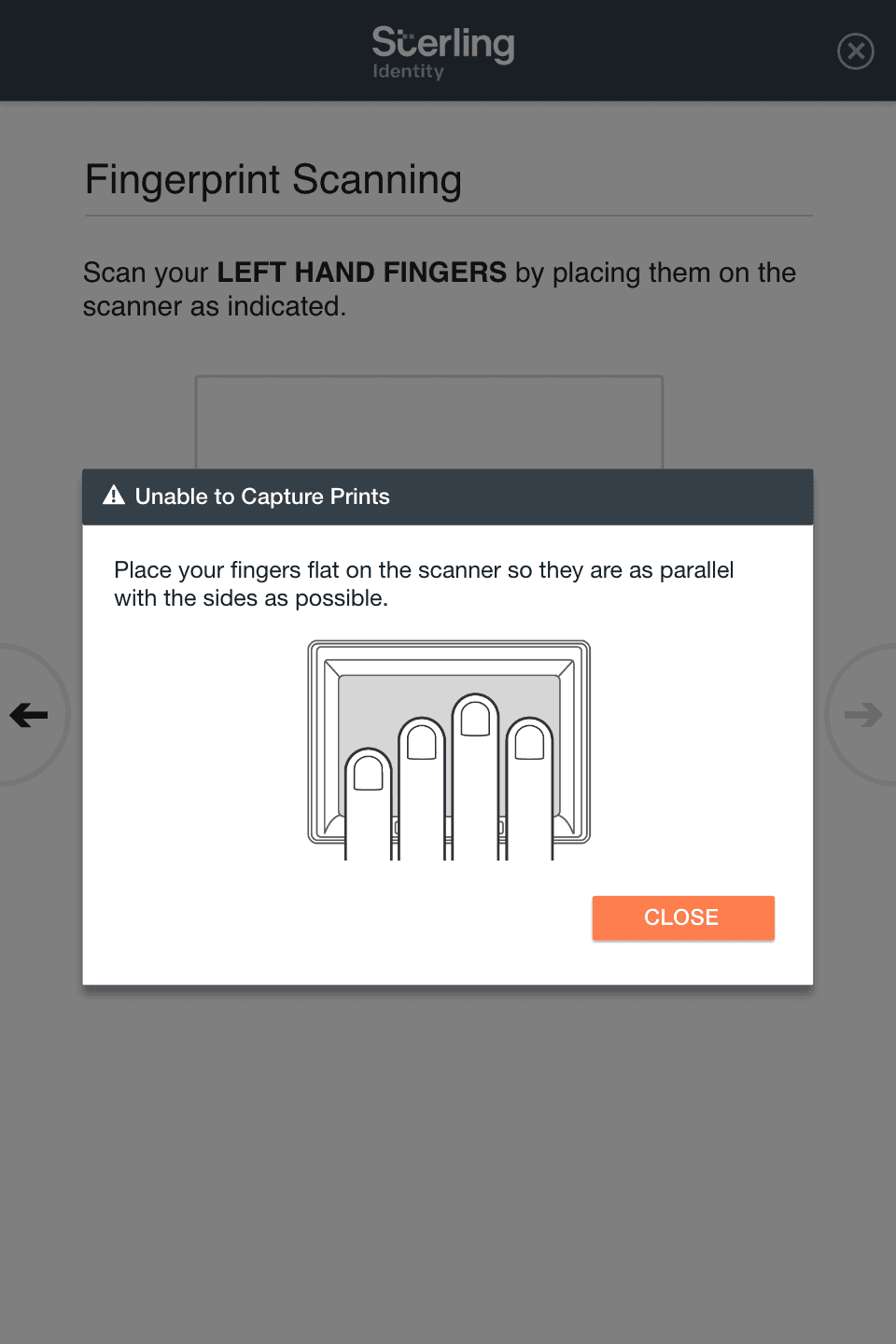
While investigating capture failures, I partnered with a lead software engineer to examine diagnostic codes returned by the fingerprint capture hardware. These codes revealed specific capture problems, such as incomplete rolls or low-quality scans, that the system was capable of detecting but not communicating to users.
This discovery created an opportunity to introduce guidance directly into the capture workflow. I designed two new mechanisms to help users understand and correct capture issues:
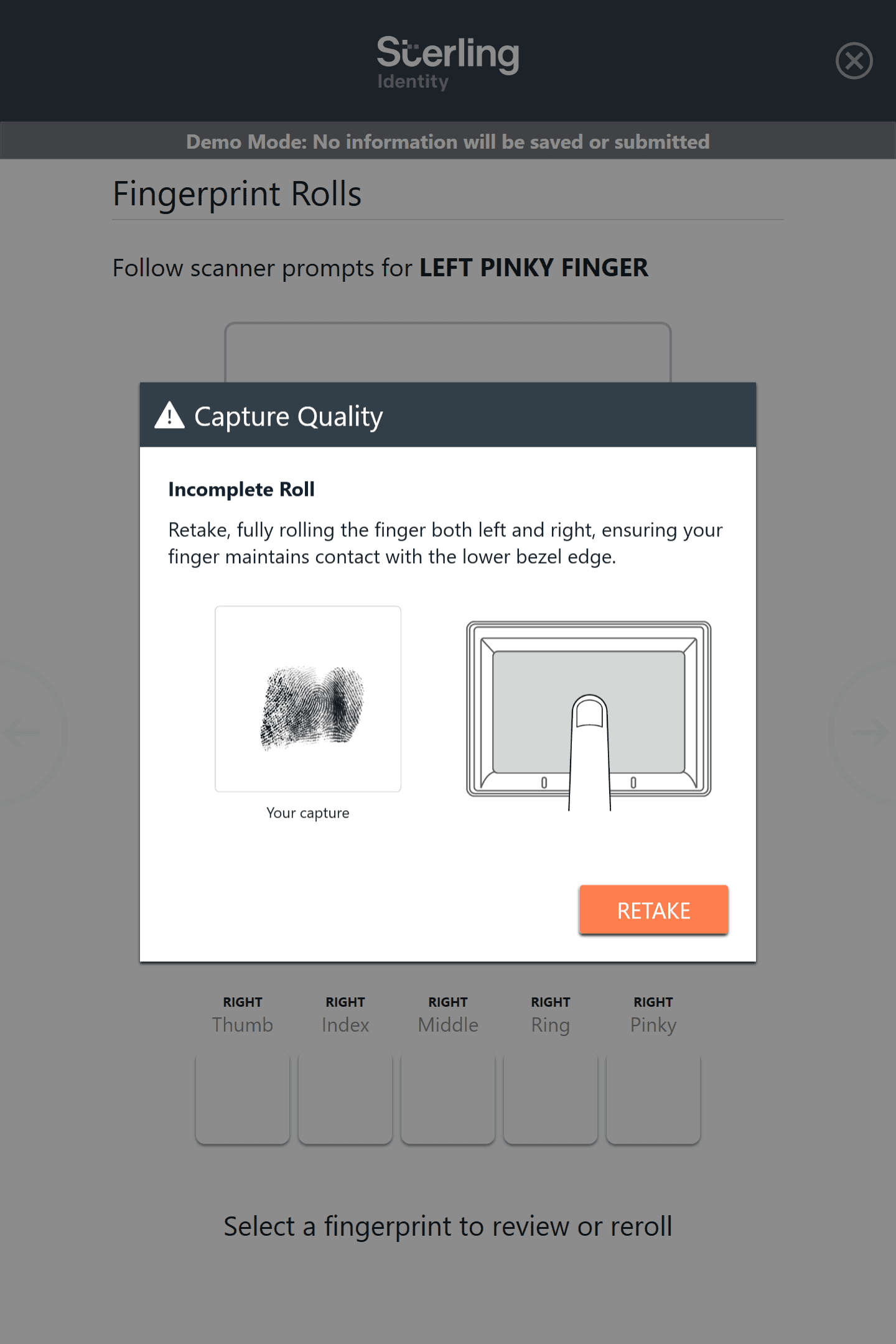
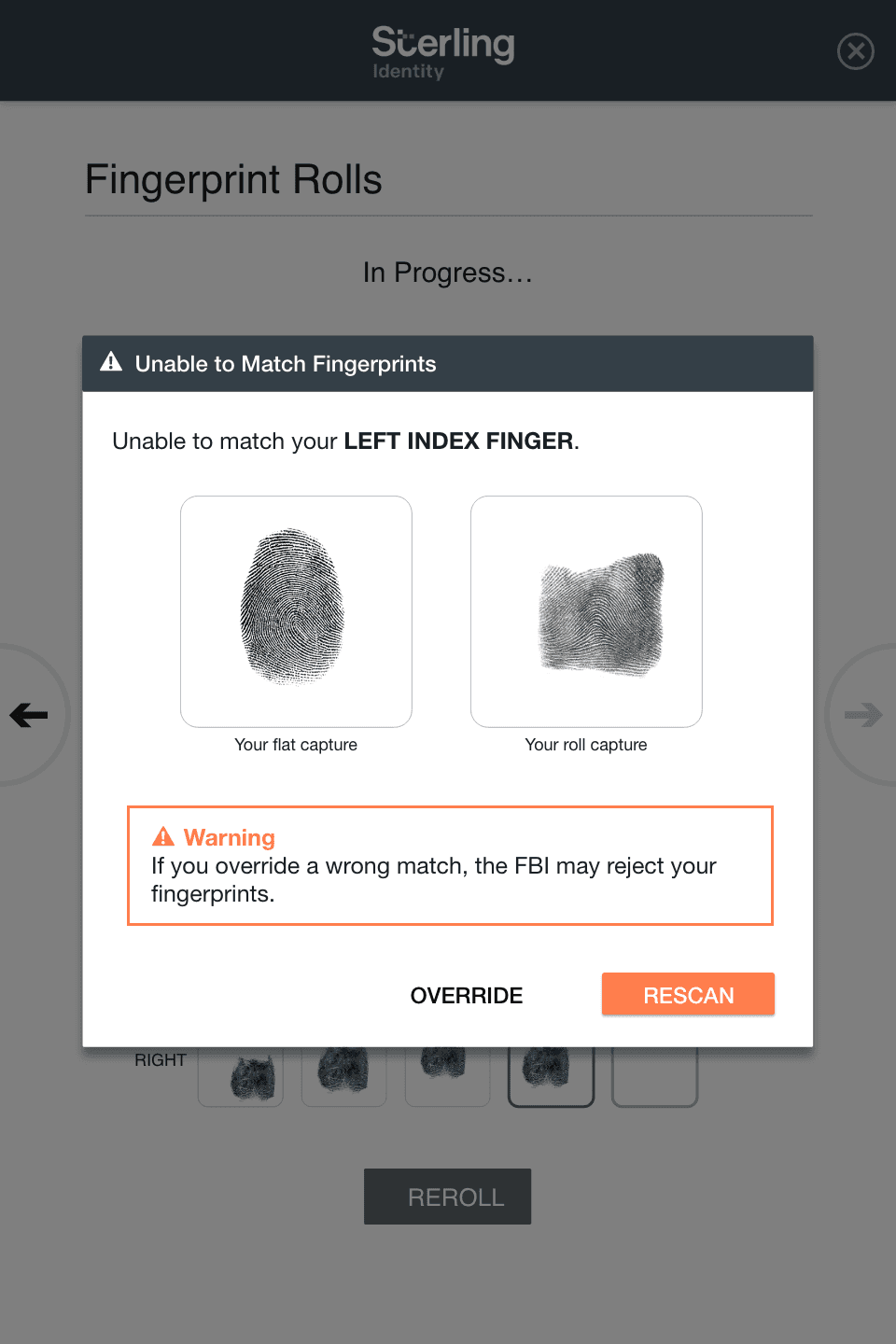
Real-time capture feedback dialogs that explained when and why a fingerprint roll was incomplete
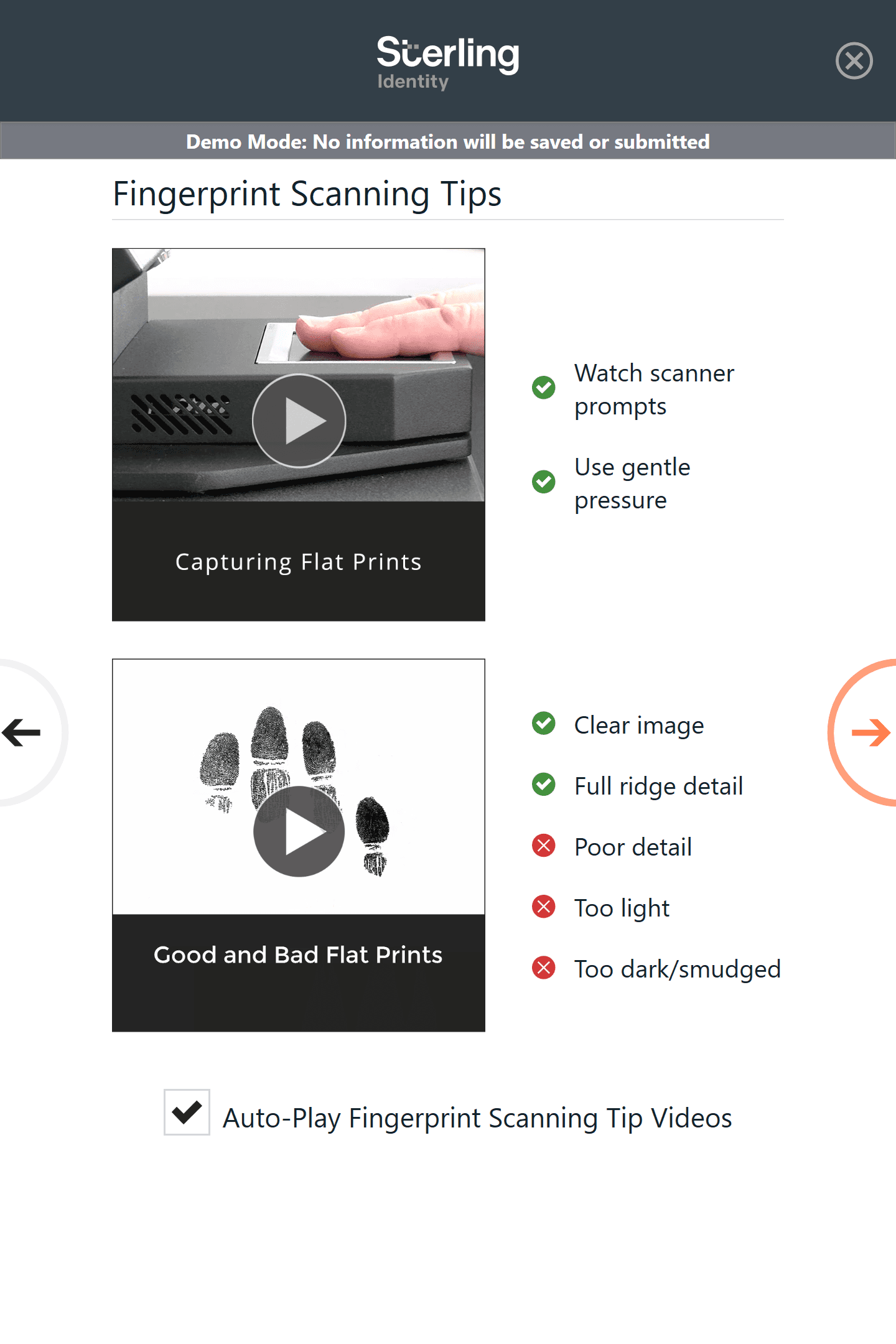
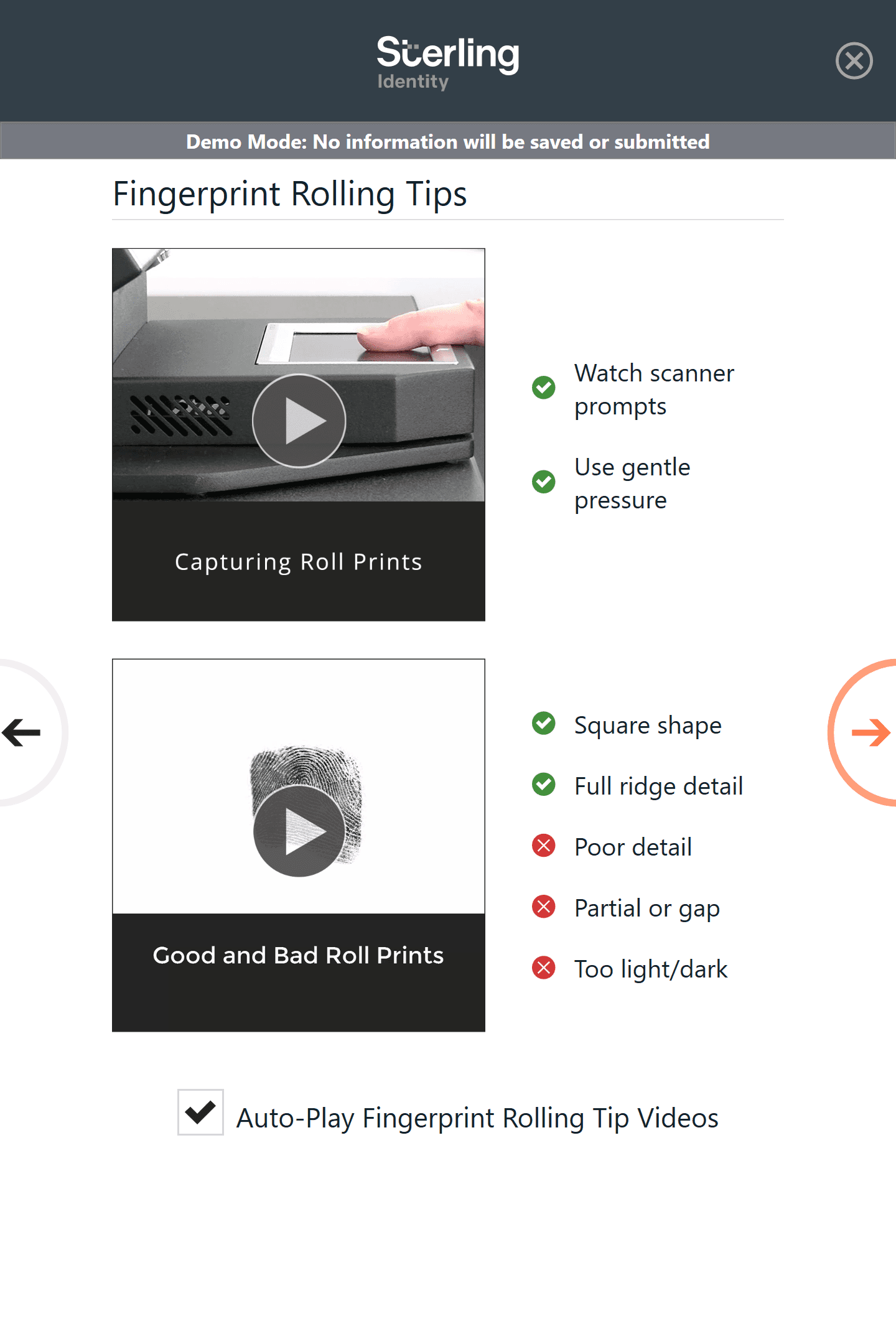
Optional pre-capture instructional videos showing examples of successful and unsuccessful fingerprint captures
Capture Feedback Dialogs
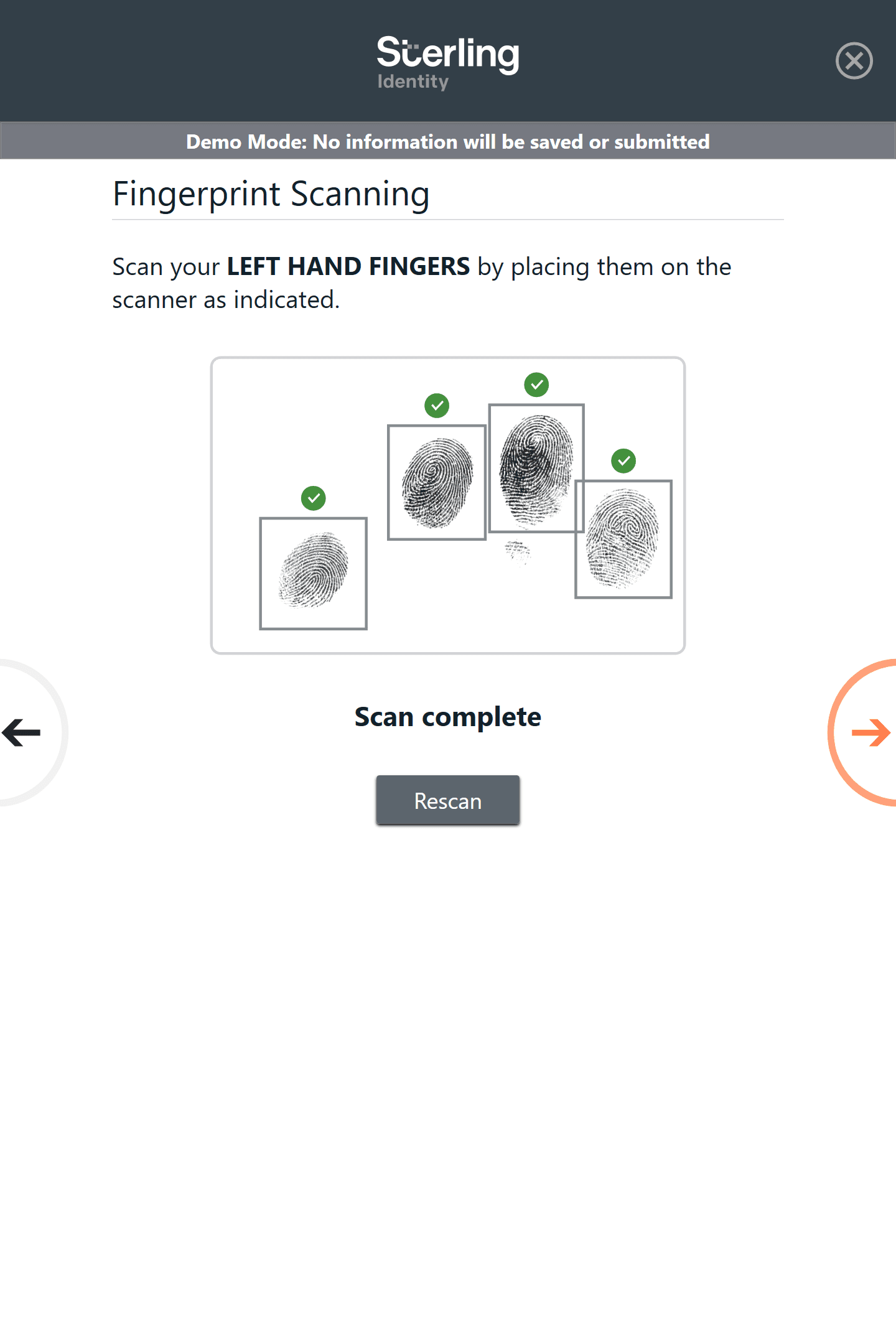
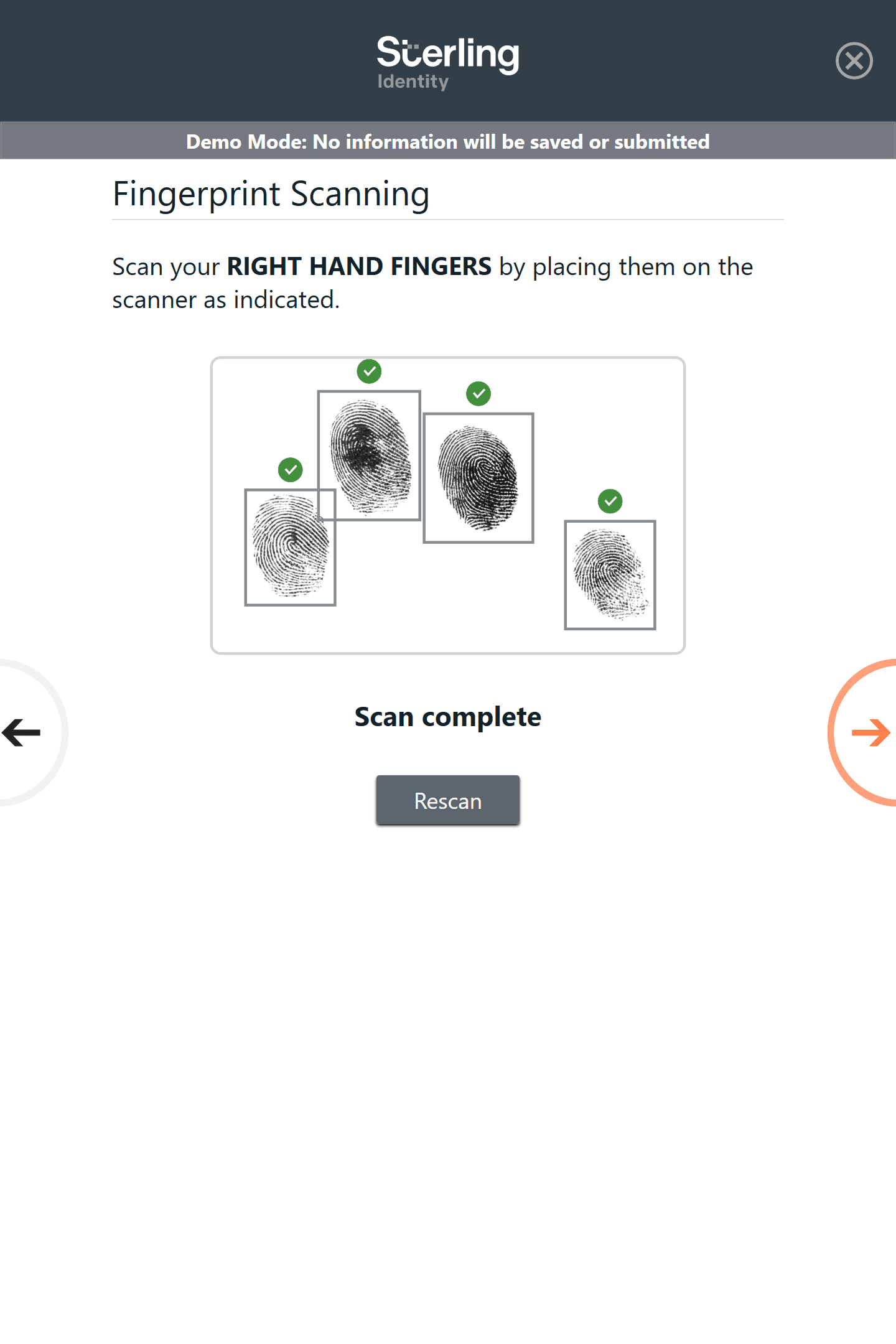
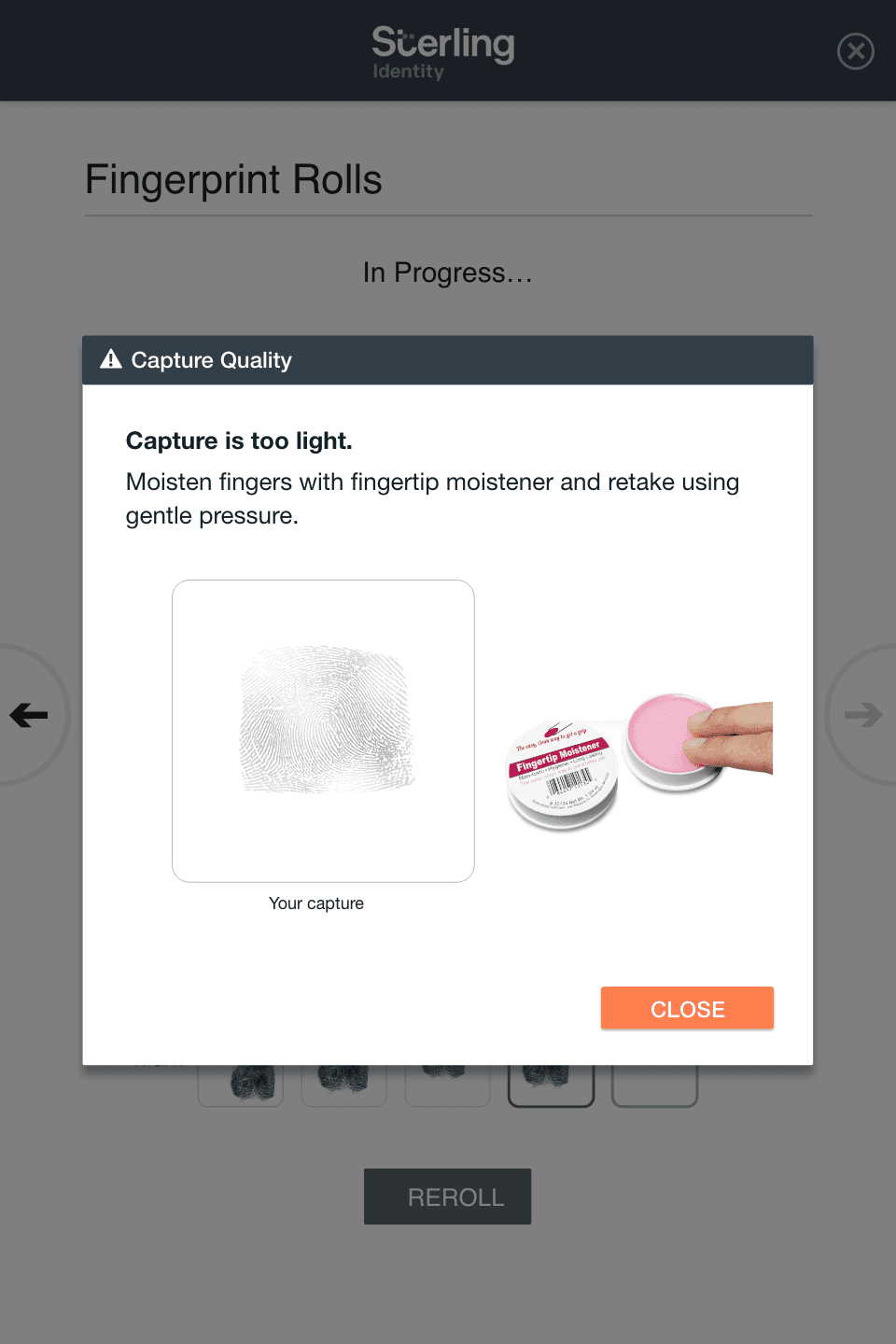
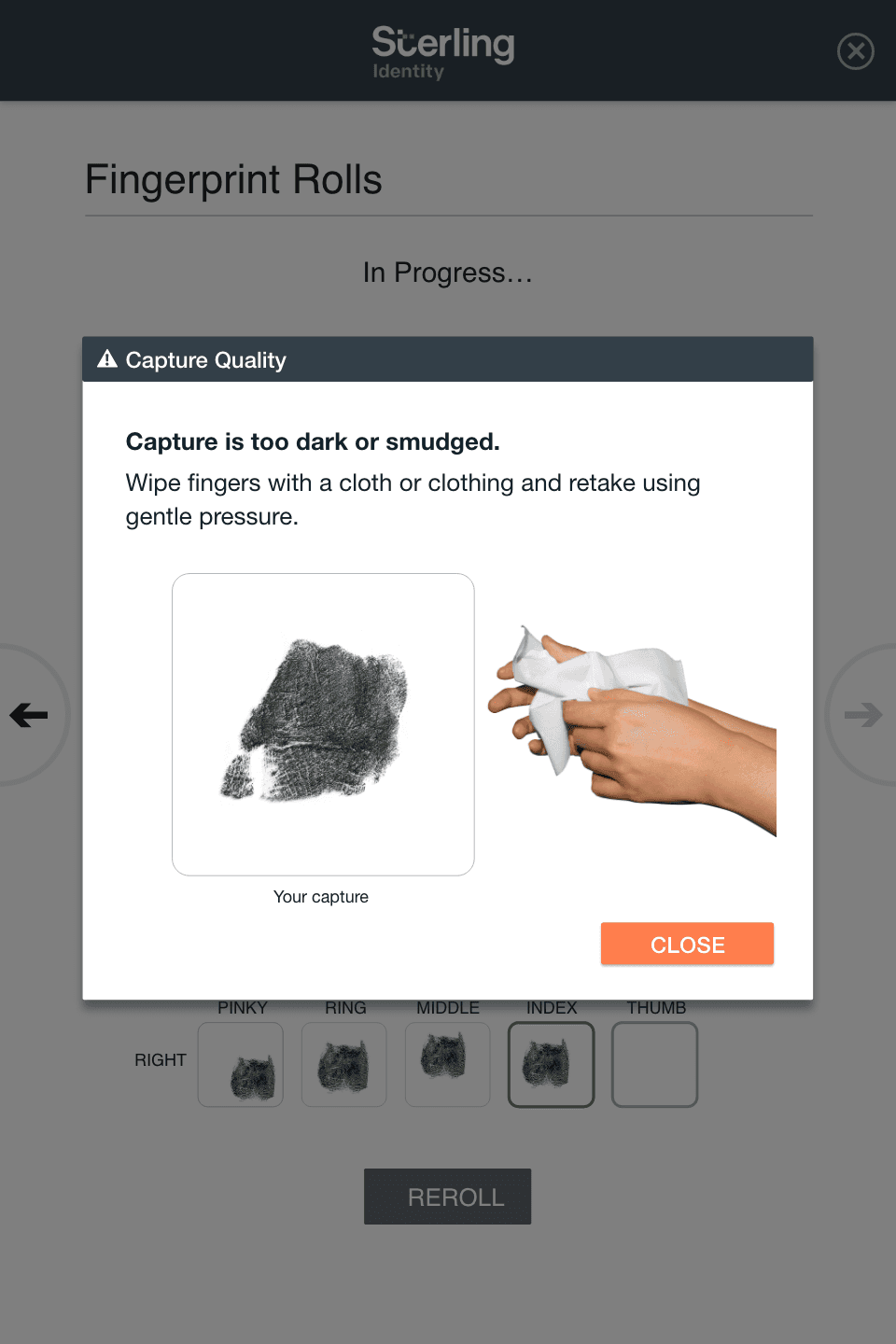
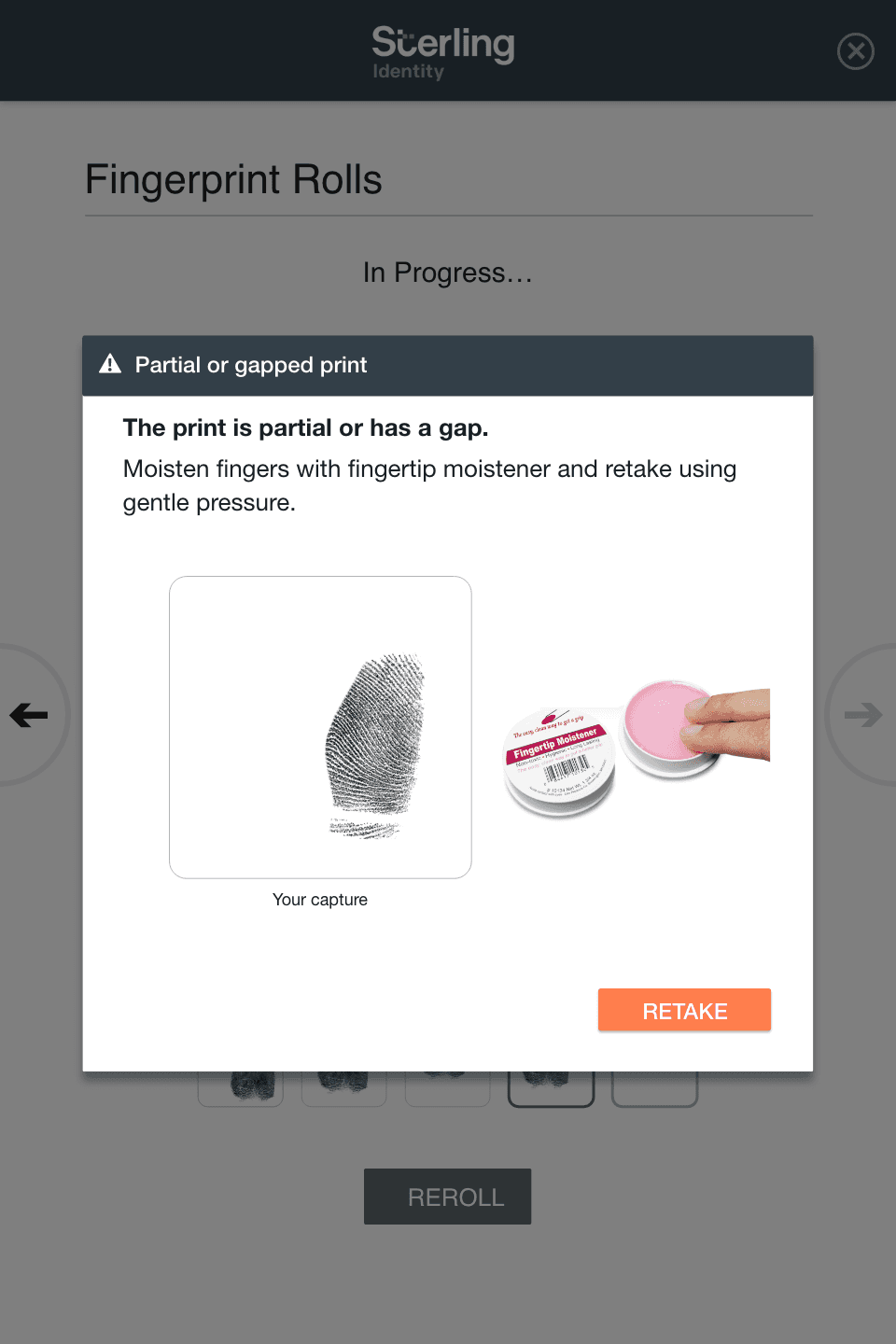
The system analyzes fingerprints as they are captured, but the original workflow provided no explanation when scans failed. The redesign introduced a set of feedback dialogs to expose capture problems and guide users toward successful scans.
Instead of simply rejecting a capture, the interface explains the issue and shows how to correct it. Examples of these dialogs are shown below.
Click on an image to enlarge
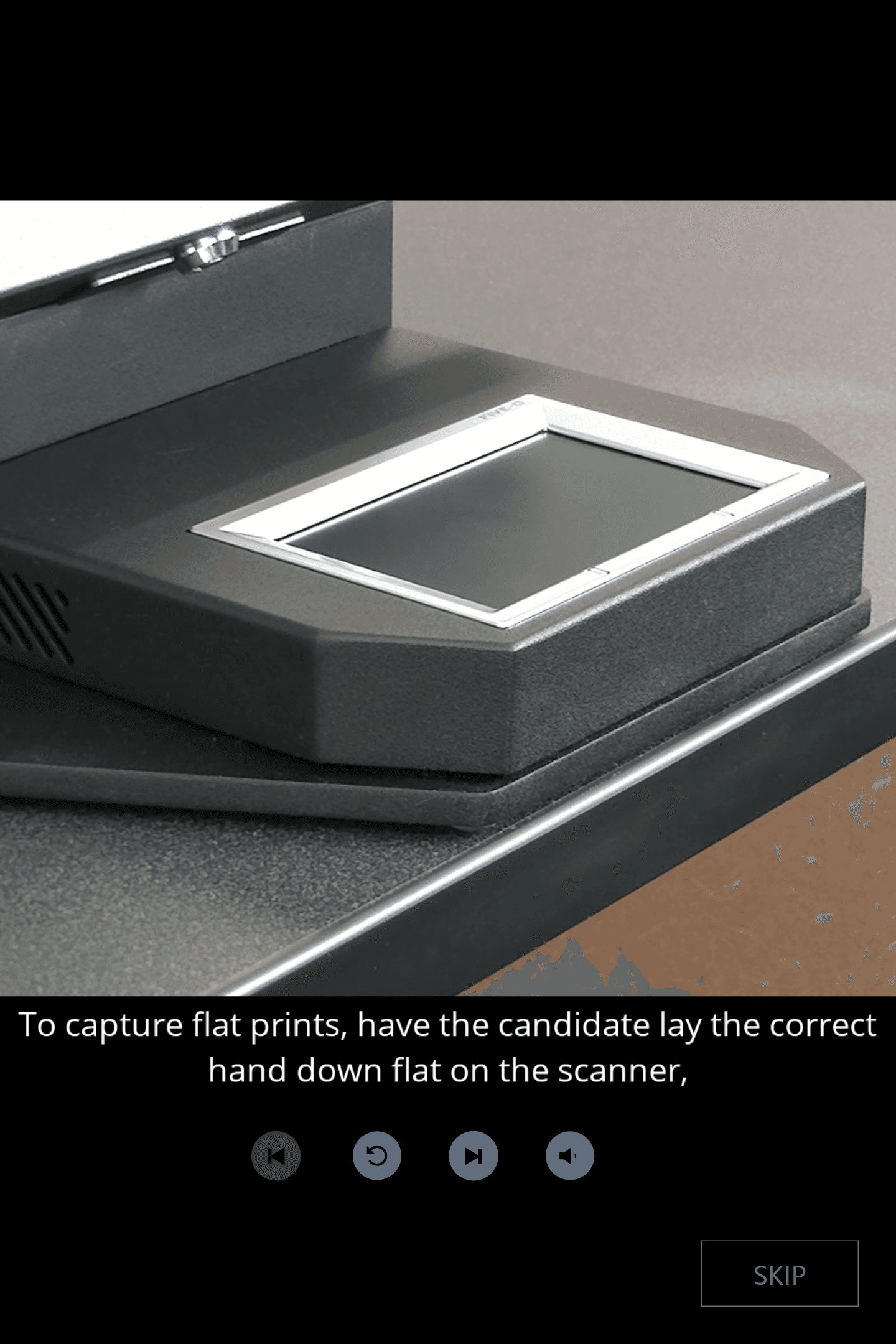
Instructional Videos: Teaching Users How to Capture Prints
Because most candidates had never participated in fingerprinting before, the redesign also introduced optional in-process instructional videos showing examples of successful and unsuccessful captures before users began print capture.
Click on an image to enlarge
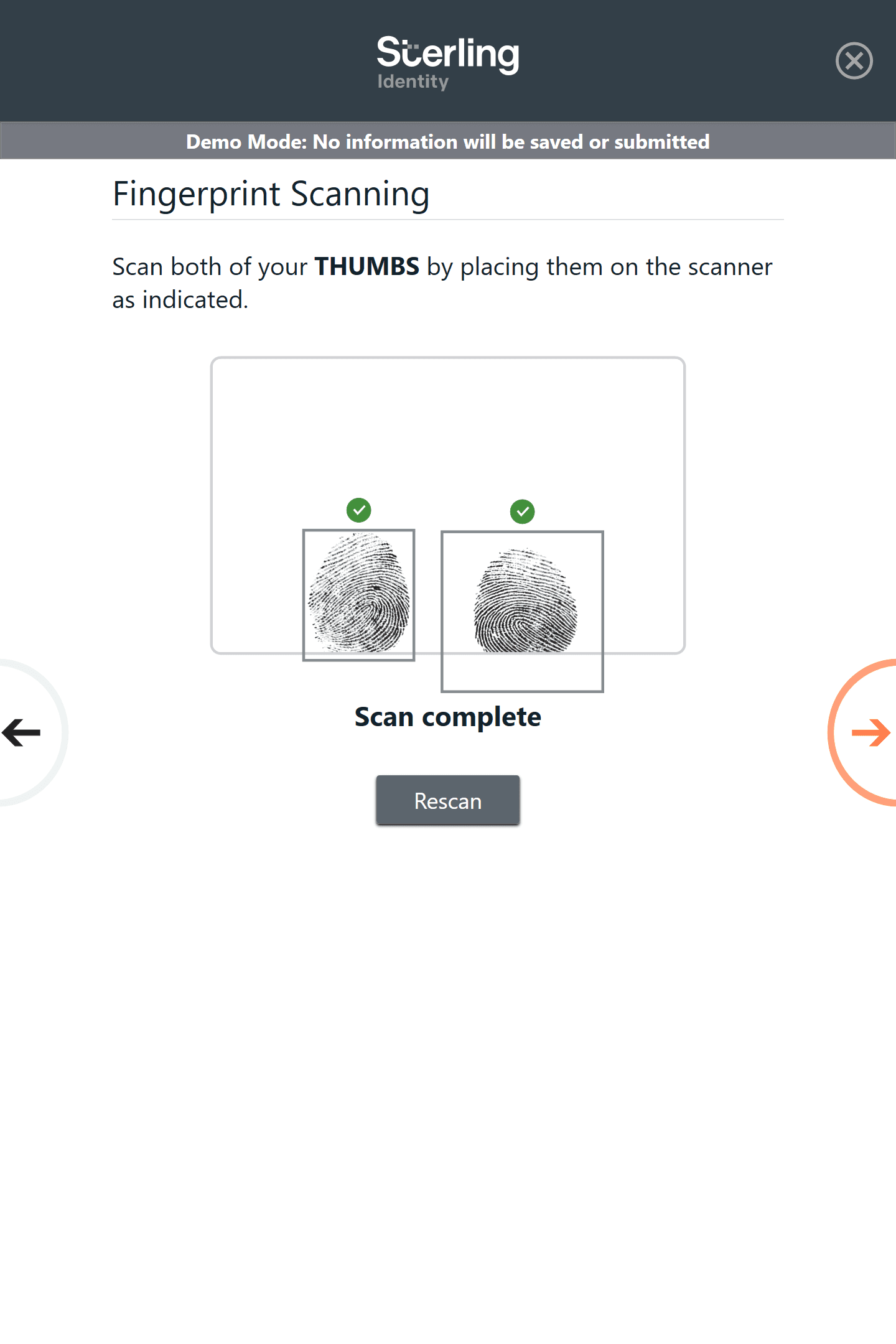
Supporting Error Recovery
The capture workflow also allows users to review prints and rescan individual fingers or finger sets when needed. This prevents users from restarting the entire process and reduces frustration during capture.
Click on an image to enlarge
Impact
Improvements to capture guidance and feedback helped candidates complete fingerprinting successfully with fewer errors.
The introduction of capture feedback and instructional guidance reduced fingerprinting-related support calls by 17%
Improved successful self-service completion of fingerprint capture
Reduced burden on on-site guides and customer service teams
Established a reusable system feedback pattern used across biometric capture workflows.
Reflection
This project reinforced how critical system feedback is when users interact with specialized hardware. Even simple workflows can fail if users do not understand how the physical interaction affects the system’s output. By focusing on feedback and error recovery, the design improved both user confidence and operational efficiency.
Additional Platform Interfaces
In addition to redesigning the kiosk capture workflow, I designed and maintained interfaces across the broader fingerprinting platform.
Sterling Identity Fingerprinting
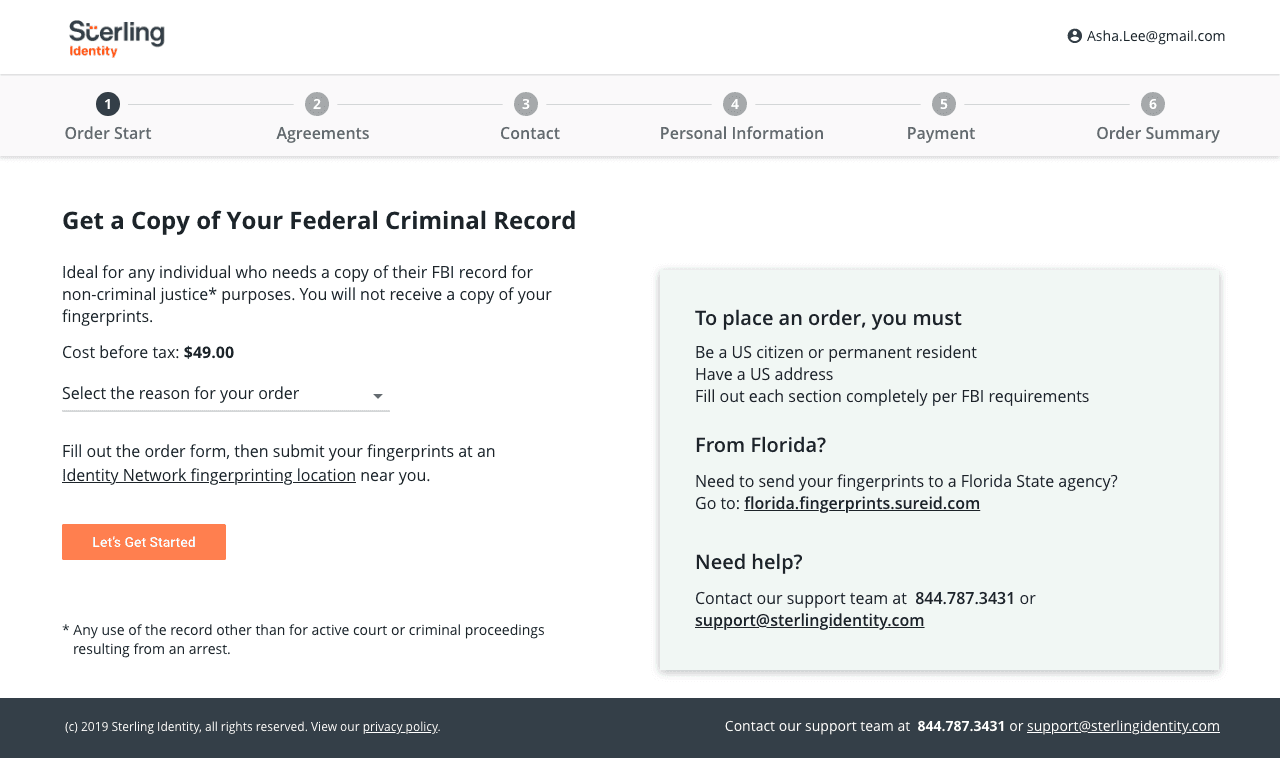
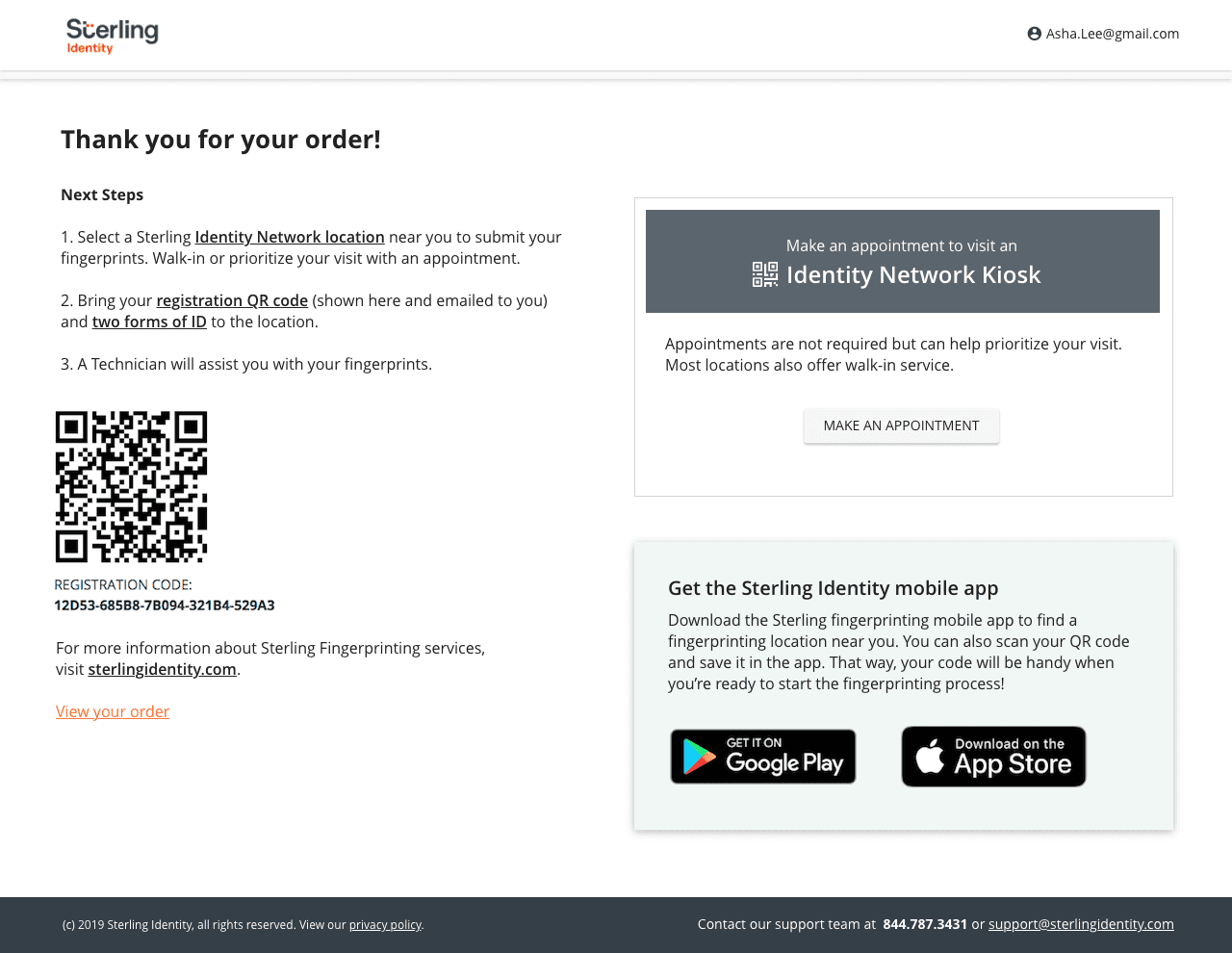
Consumer ordering interface: Responsive web experience for individuals requesting their FBI CHRI record.
(Click image to enlarge)
Sterling Identity Mobile Apps
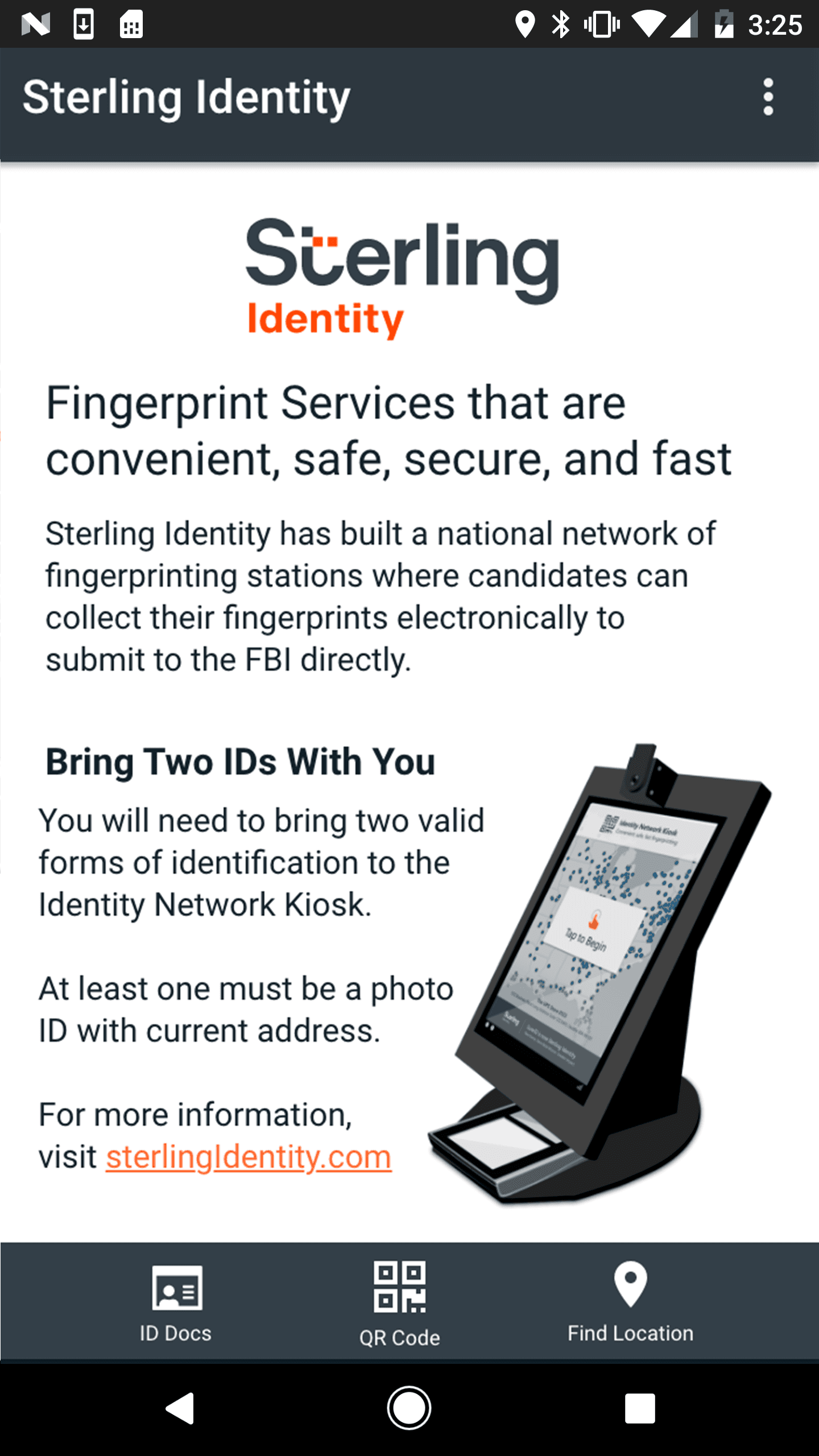
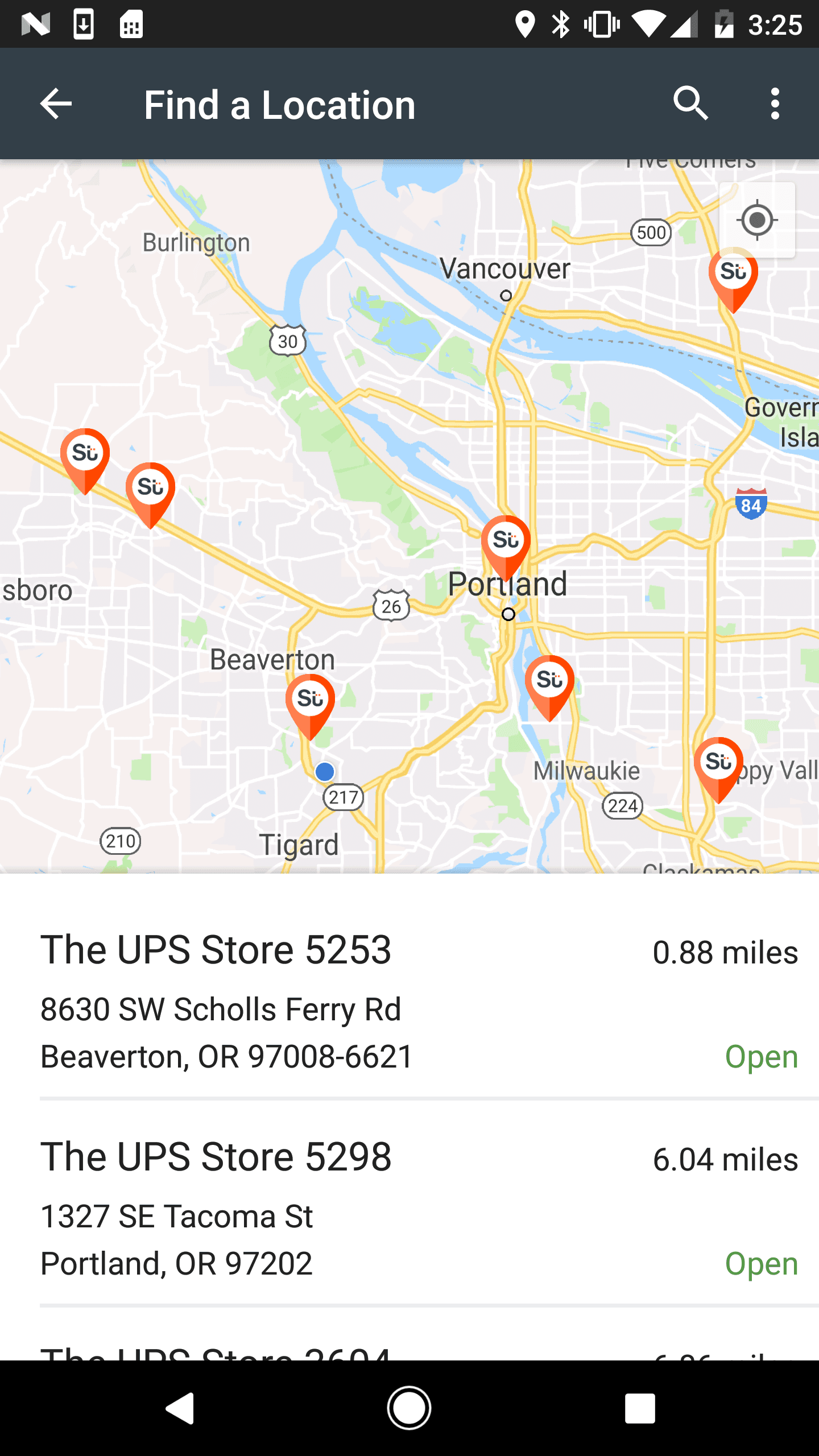
Mobile guidance applications: iOS and Android apps that guided users to capture locations and prepared them for fingerprint submission.
(Click image to enlarge)
Sterling Identity for Business
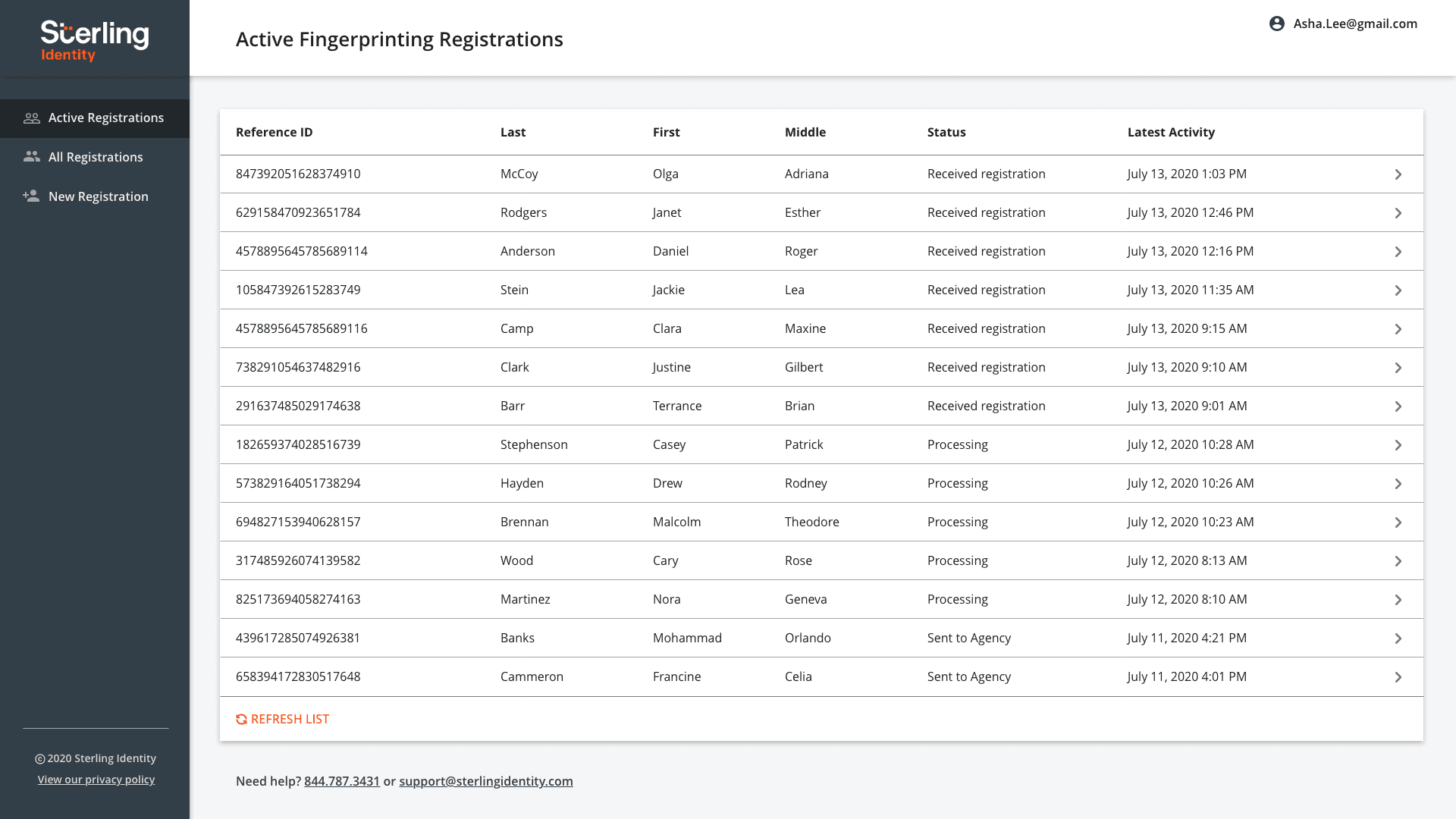
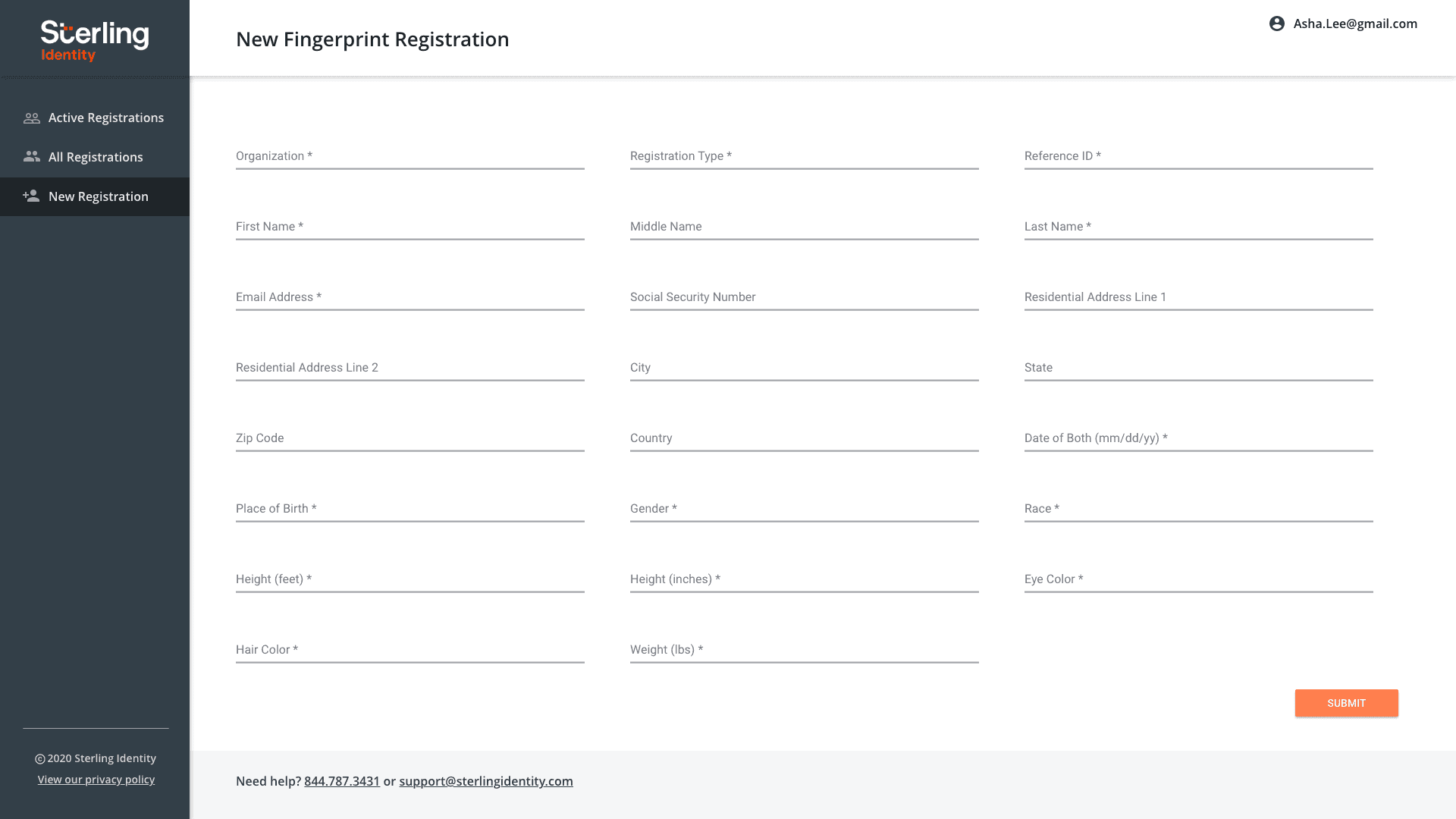
Enterprise client portal: Order management and workflow tools used by enterprise business customers.
(Click image to enlarge)
Technician Management Portal
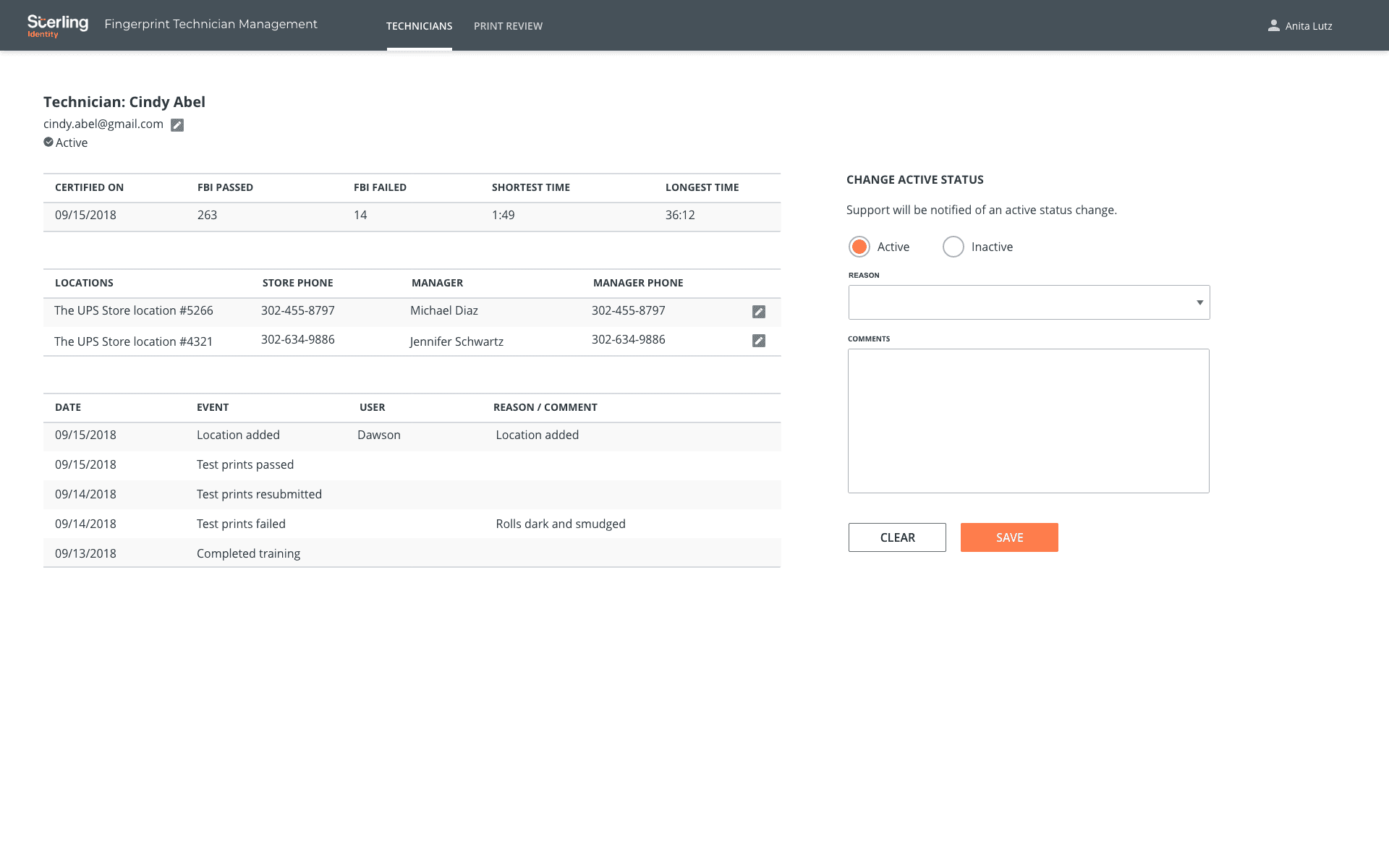
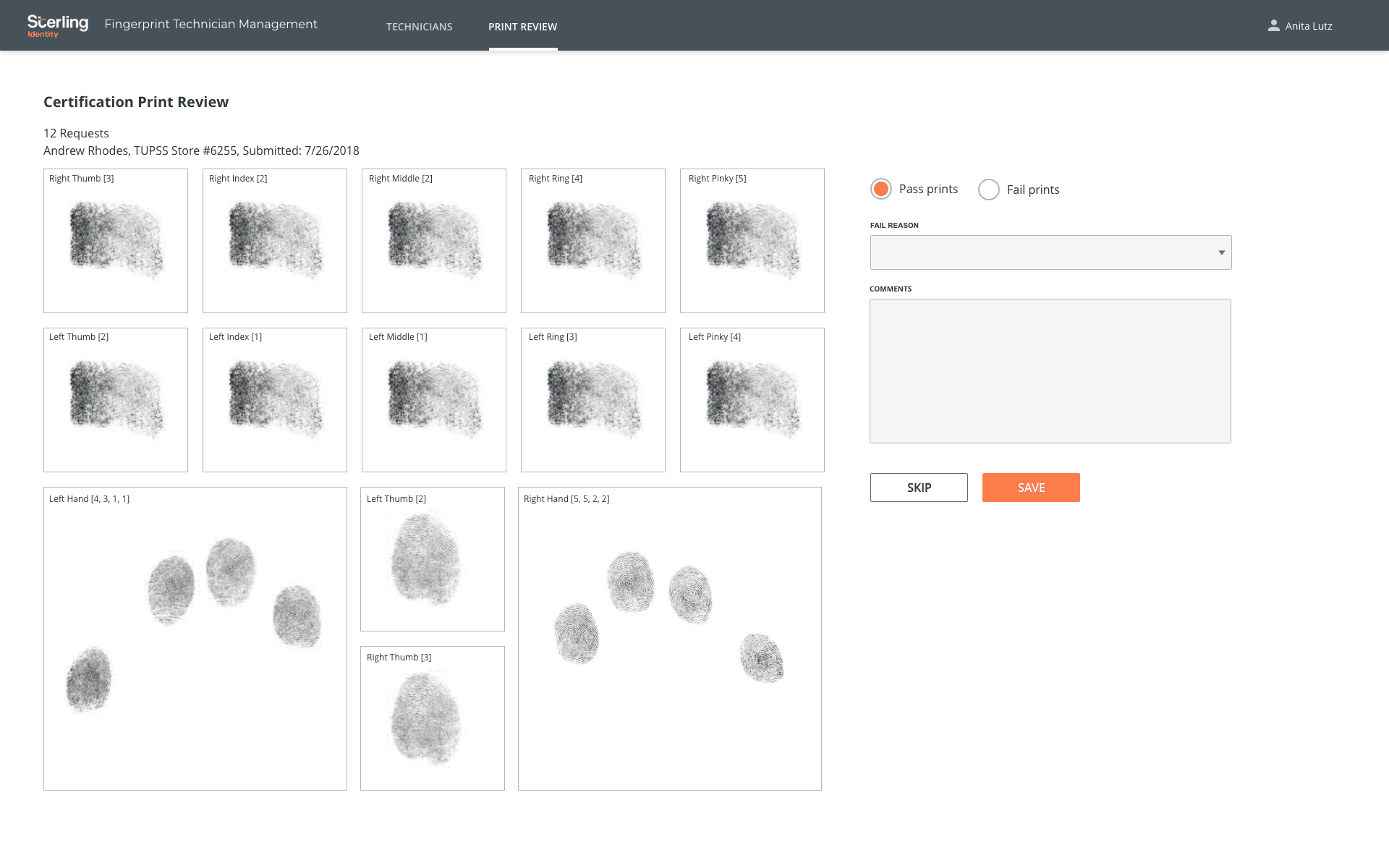
Technician management tools: Internal portal used by Sterling staff to manage field technicians and review fingerprint submission quality.
(Click image to enlarge)
Organizations
Sterling Identity
(a division of the global background screening company, Sterling)
My Role
Lead UX Designer
Date / Duration
Apr 2015 - Sep 2020